
Useless Machine - Arduino
Published:
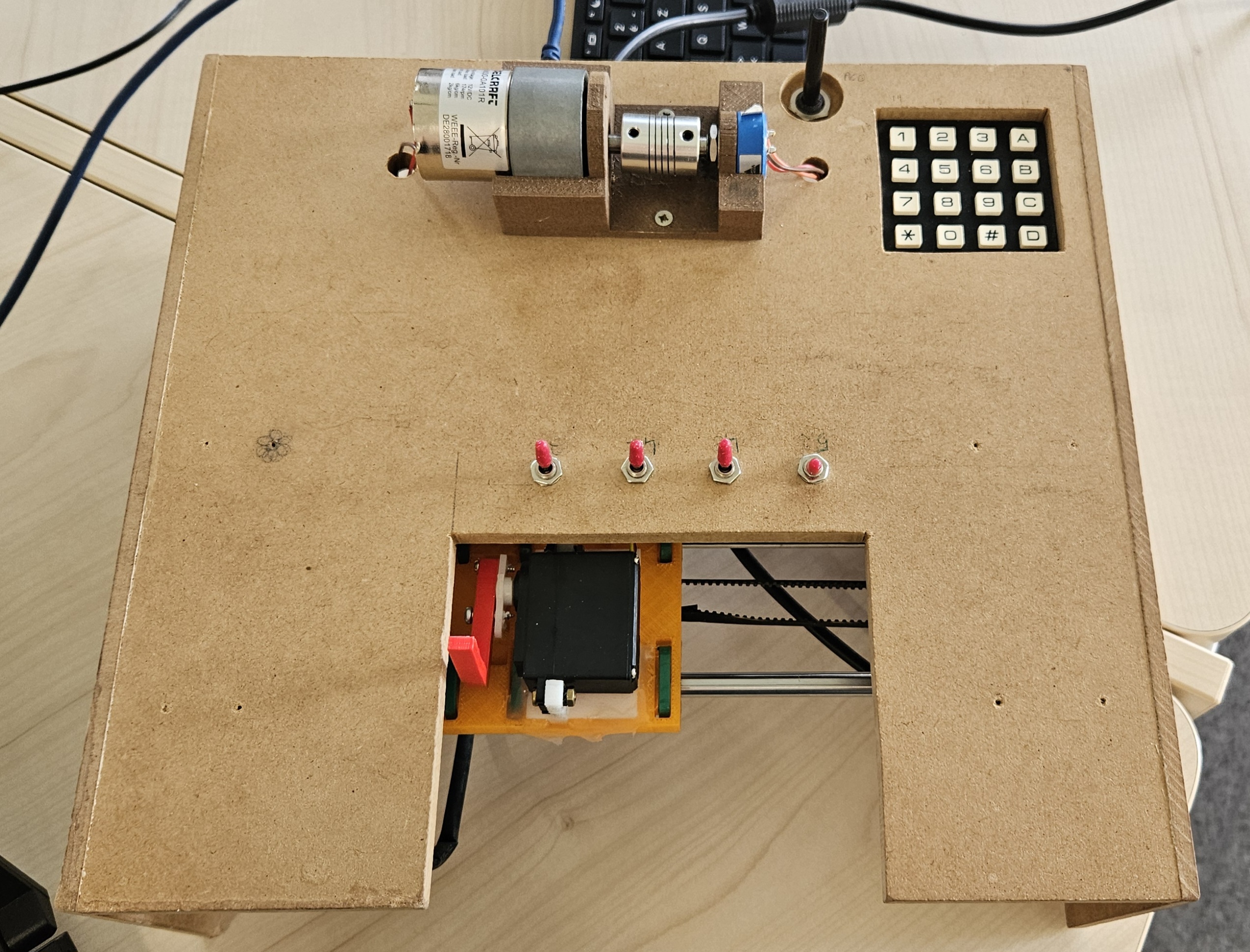
A Tkinter-based Arduino control hub for the useless machine and the DC motor position control interface.
- a classic useless machine that reacts to physical switches with a servo and stepper carriage
- a DC motor position control interface with P / PI control and live plotting through Banyan
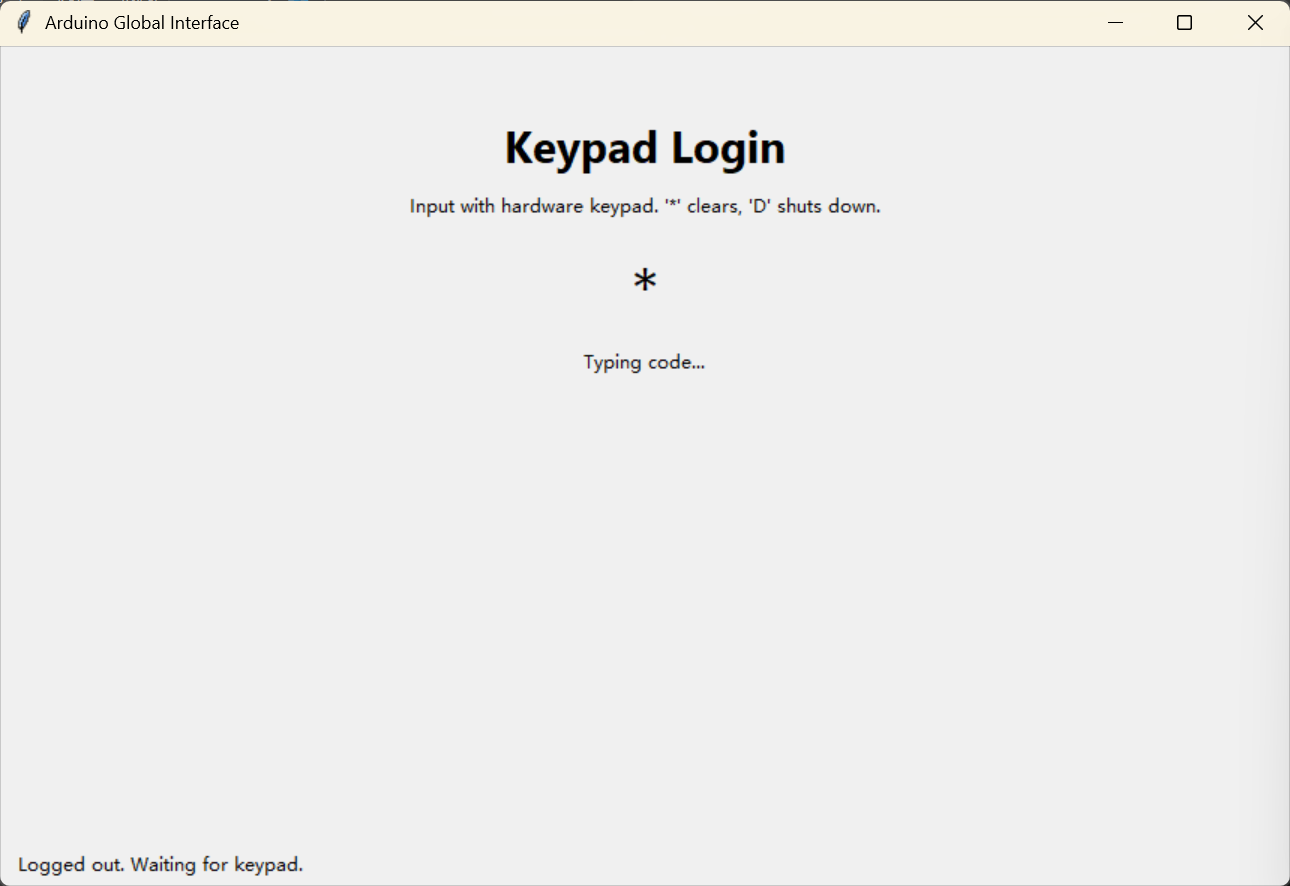
The main application starts with a hardware keypad login, then routes the user into a menu where each activity can be launched, stopped, and restarted independently.
Project Overview
The repository is organized around a few focused modules:
global_interface.pyis the main GUI application. It handles keypad authentication, the activity menu, runtime switching, and the live status dashboard.keypad.pycontains the keypad scanner abstraction used by the login flow.machine.pydrives the useless machine hardware: switches, stepper, and servo.motor.pycontains the DC motor, potentiometer, and fixed setpoint helpers.motor_control.pyimplements the discrete P / PI position controller.motor_plot.pypublishes live motor telemetry over Banyan.motor_plot_subscriber.pydisplays the live response plot in a separate process.archive/keeps older experiments and previous interfaces for reference.
Features
Keypad login
- Callback-based key detection to avoid noisy polling on every edge.
- Timeout handling, input clearing with
*, and shutdown request withD. - A simple digit-code flow before the main menu unlocks.
Useless machine mode
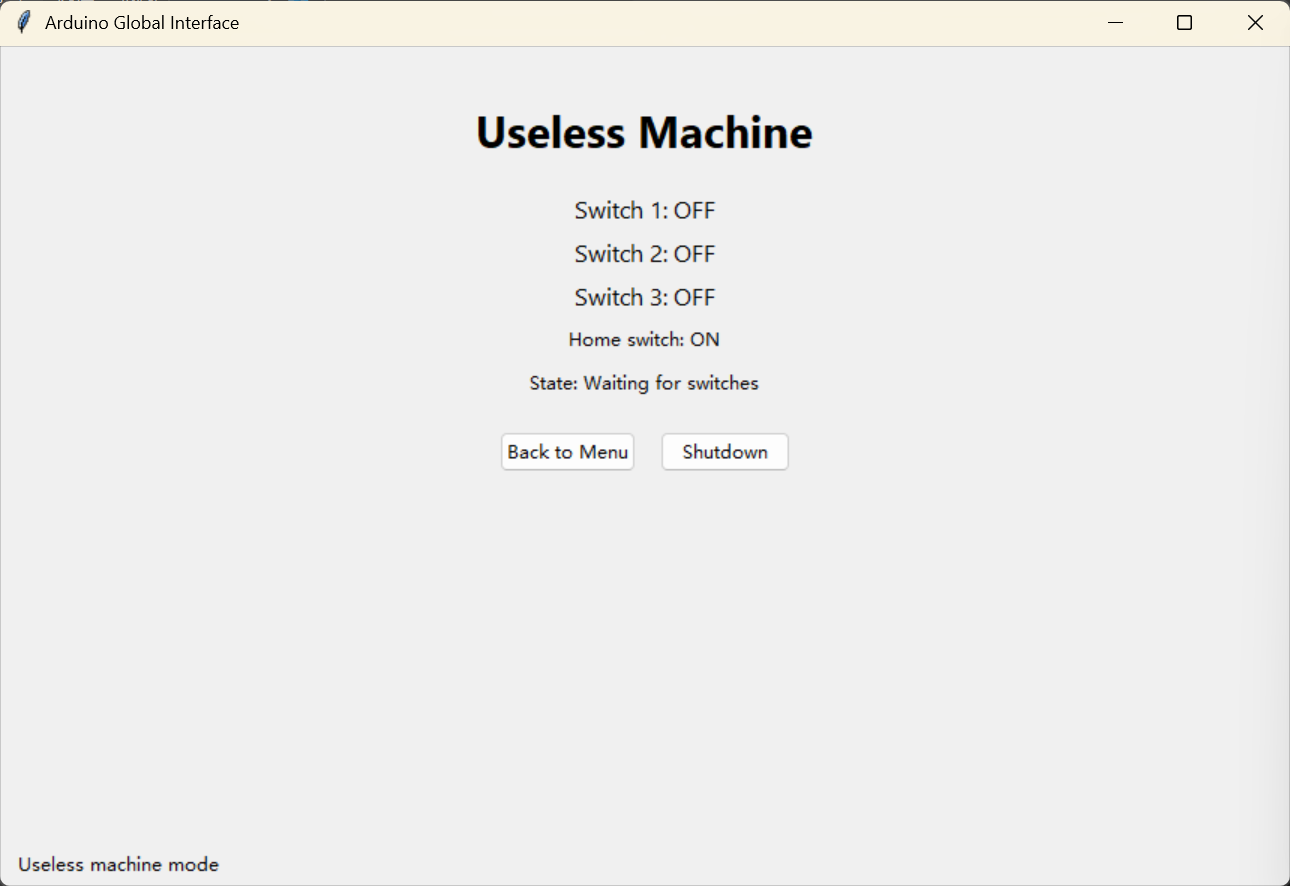
- Stepper homing on startup for a stable reference point.
- Switch-driven behavior that moves the carriage to the active switch position.
- Servo deploy / retract sequence with automatic return-to-home after inactivity.
- Live telemetry in the GUI for switch states, home state, position, and action text.
DC motor mode
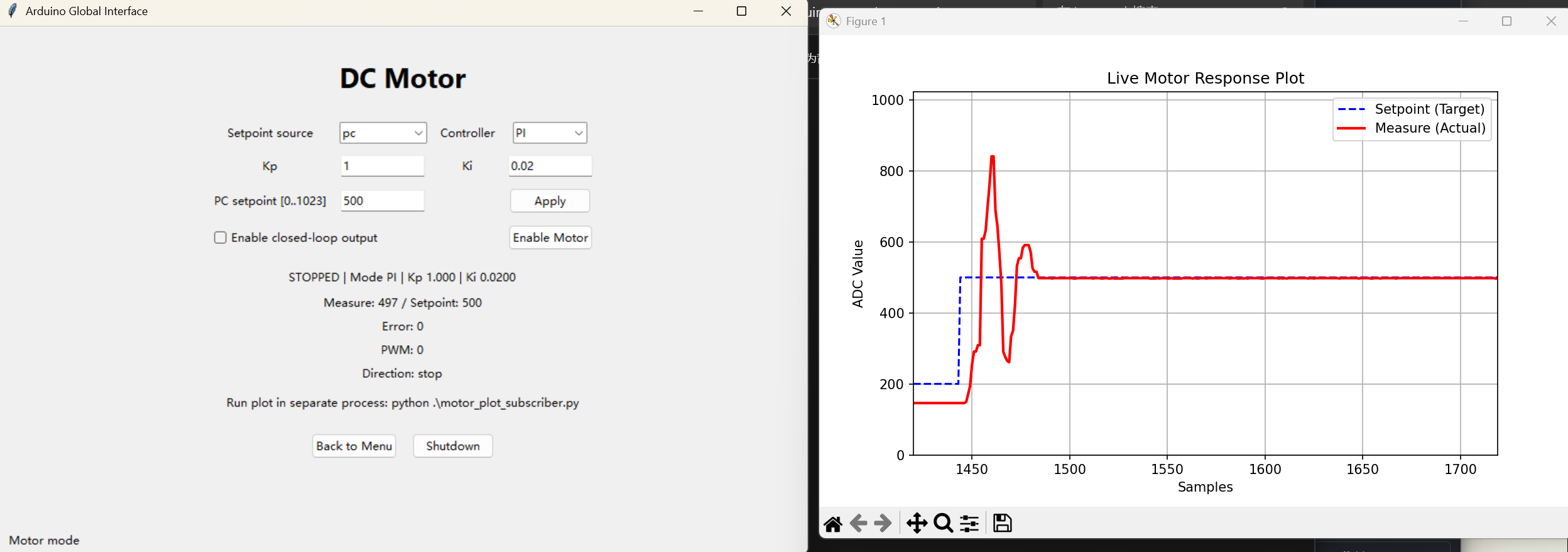
- Manual or PC setpoint source selection.
- P and PI controller modes with tunable
KpandKi. - Anti-overreaction limits with bounded PWM output.
- Wrapped ADC error computation for circular position behavior.
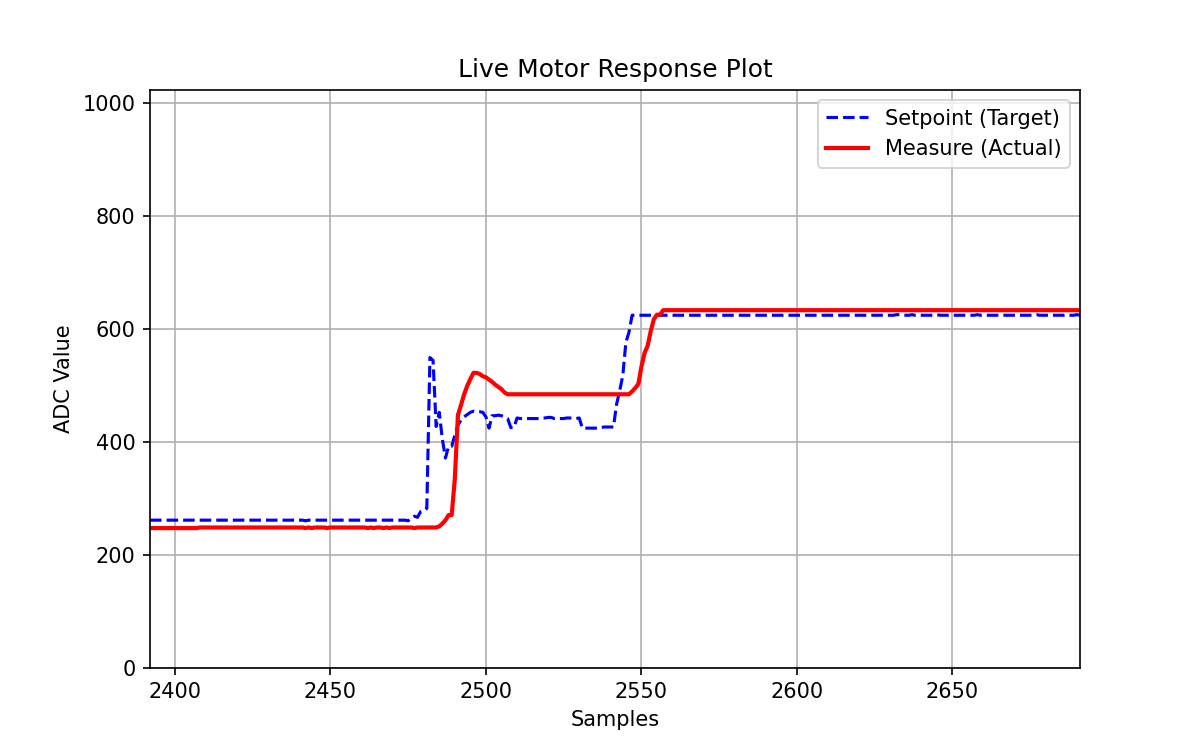
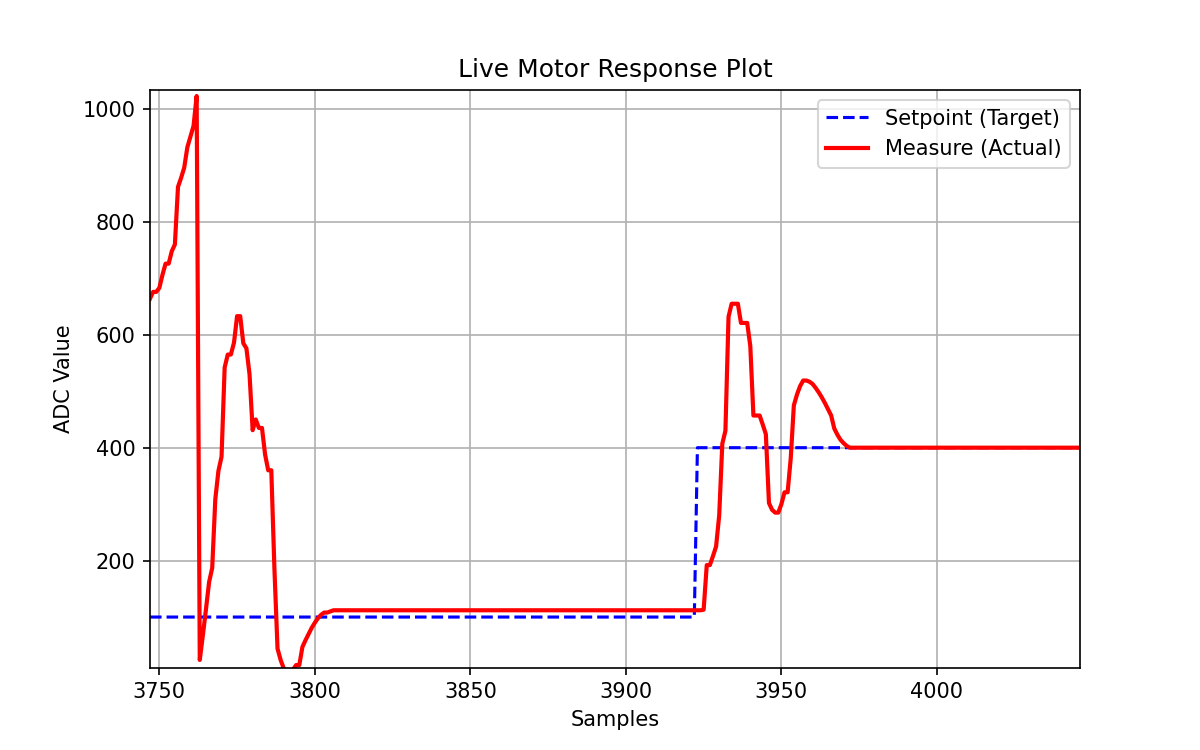
- Live response publishing to a separate subscriber window.
Motor control graph examples
Media
Demo videos
- Useless machine demo
- Motor control demo
- Kp tuning
- Kp tuning, example 2
- Ki tuning
- Ki tuning, example 2
- Corner case
Highlights
Keypad
- Callback Triggered (just mark a flag, avoiding noise callback)
- Main polling loop (check flag, execute action, reset flag)
DC Motor
The live plotting is decoupled from the main GUI to allow continuous updates without freezing the interface, using Banyan for inter-process communication.
- 0 & 1023 corner cases
- Limited max pwm for no overreaction
- Banyan: set, measure, timestamp
- Kp, Ki (erase gap)
Useless Machine
The useless machine logic is event-driven, responding to switch state changes and automatically returning to home after inactivity.
- Callback Homing - No strange noise (at the beginning)
- Smooth Movement
Overall
The code is organized into focused modules for hardware control, GUI management, and control logic, making it easier to maintain and extend.
Hardware / Software
You will need:
- Arduino board running Firmata-compatible control via
pymata4 - Matrix keypad
- DC motor with driver stage
- Potentiometers for position measurement and command input
- Stepper motor, servo, and switches for the useless machine mechanism
- Python packages:
pymata4,matplotlib, andpython-banyan
tkinter is used for the GUI and is typically included with standard Python installations.
How To Run
Start the Banyan backplane first, then launch the plot subscriber, then the GUI:
# 1
backplane

# 2
python ./motor_plot_subscriber.py

# 3
python ./global_interface.py
The GUI starts on the keypad login screen. After authentication, use the menu to enter either activity.
Suggested Workflow
- Start the backplane.
- Open the motor plot subscriber in a separate terminal.
- Launch the global interface.
- Use the keypad to log in.
- Choose either Useless Machine or DC Motor from the menu.
Notes
- The keypad code is defined in
global_interface.pyand can be changed there. - The separate plot window is intentionally decoupled from the GUI so the motor interface can keep running while the live graph updates.
- The
archive/folder contains legacy versions of earlier keyboard and motor interfaces.